- Header with personal data
- Contact information
- Purpose or brief overview or synopsis
- Work experience
- Education and certifications
- Skills and Abilities
- Projects and projects
- Other sections (if applicable): languages, interests, hobbies, etc.
Making the right resume for an IT professional
Владимир Самойлов
Content:
A well-written resume is an important step in your IT job search. It acts as your business card, your first meeting with an employer and can have a decisive impact on your success in getting a job. In this article we will look at how to properly prepare a resume for an IT professional, pay attention to the main sections of the resume, give useful tips on writing, and provide examples for understanding.
General resume tips
Before we get into specifics, let’s take a look at general guidelines for creating a resume for an IT professional:

Structure of the resume
A resume should be a structured and easy to read document. The recommended structure includes the following sections:
Size of the resume
The optimal number of pages for an IT professional resume is one or two. Avoid overcrowding with unnecessary text. Employers typically have a limited amount of time to review each resume, so a short but informative resume has a better chance of attracting attention.
Spelling and grammar
Errors in spelling and grammar negatively affect your overall impression of you as a professional. Check your resume for errors, ideally use the services of an editor or proofreader.
Make your resume unique
Every job application should be accompanied by a unique resume. Tailor the content of your resume to the specific job opening and the employer’s requirements.
Format of the resume
The recommended format is PDF. It preserves formatting and you can be sure that the employer will see your resume as you have created it.
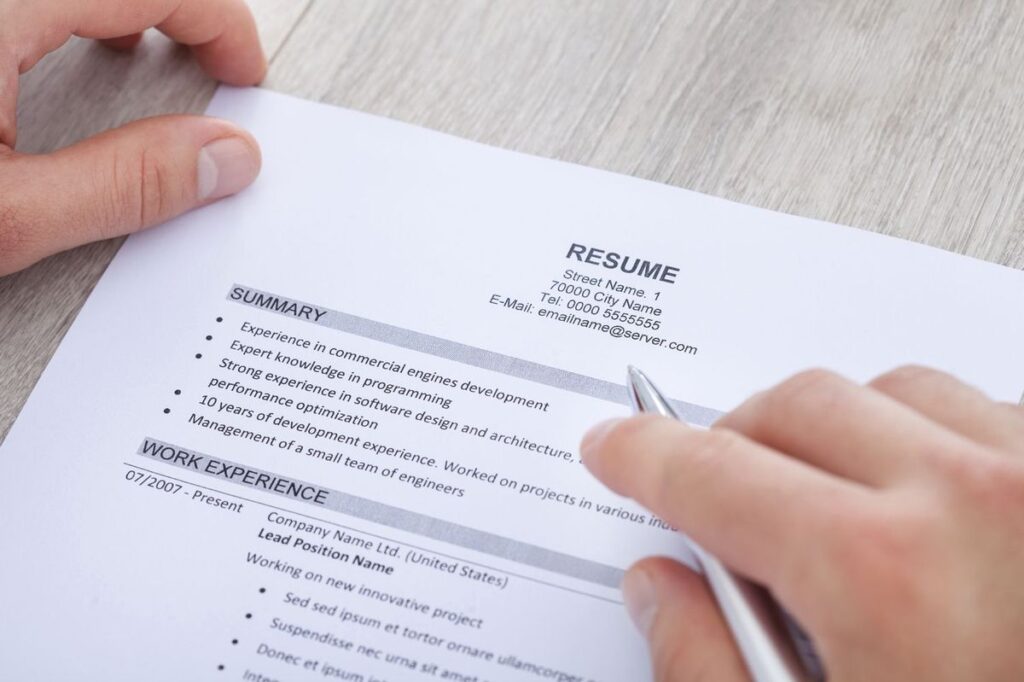
The main sections of a resume
Let’s take a closer look at each of the main sections that should be present in an IT professional’s resume:
Header with personal information
The first section contains your name and, optionally, a professional title (e.g., “Front-end Developer,” “Data Scientist,” etc.). This section helps the employer immediately understand who you are and what field you work in.
Contact Information
The headline is followed by a contact information section. Include phone, email, and optionally links to your social media profiles or personal website.
Purpose or brief overview
An objective or synopsis is a few sentences that describe your job search objective or professional goals. You can include what you want to accomplish in your career and what skills you will bring to the workplace.
Work Experience
One of the most important sections of your resume, you should describe your work experience in reverse chronological order (starting with your most recent job). For each position, include the name of the company, the period of employment, your title, and a brief description of responsibilities and accomplishments.
Education and Certifications
In this section, you should list your educational accomplishments (higher education, courses, trainings) and certifications you hold. Include the name of the institution, specialty, year of graduation and other important details.
Skills
This section helps emphasize your core competencies and technical skills. Use both general skills and skills specific to your industry. The list of skills can be presented as a bulleted list:
- Programming languages (Python, Java, JavaScript)
- Frameworks (React, Angular, Django)
- Databases (MySQL, PostgreSQL, MongoDB)
- Development methodologies (Agile, Scrum)
- English language (professional level)
Table example
| Name of competence | Proficiency level |
|---|---|
| Java | High |
| Python | High |
| JavaScript | Medium |
| React | Medium |
| SQL | High |
| Agile | High |
| English language | Advanced |
Projects
If you have had interesting projects or participated in major IT initiatives, this section can be highlighted separately. Describe each project, cite its purpose, your responsibilities and accomplishments.
Tips for writing a resume
- Create a resume based on the requirements of the position. Emphasize your skills and experience that best fit the position.
- Use specific examples. Cite your job results, numericals, and accomplishments.
- Avoid outdated terms and acronyms. Explain what you mean to avoid misunderstandings.
- Do not exaggerate your accomplishments. Be honest and objective.
- Pay attention to the design of your resume. Use uniform font and formatting, keep it simple and concise.
What not to write on a resume
When creating a resume for an IT professional, it’s important to remember that certain elements can ruin the overall impression of you as a professional. Here’s a list of what you shouldn’t include on your resume:
Unrelated work experience
If you have work experience that has nothing to do with the IT field or is already outdated, don’t include it on your resume. Focus only on experience that is related to your professional career in IT.
Personal information
There is no need to include personal data such as age, marital status, religious beliefs and the like in your resume. This data is irrelevant to your professional competence.
Over-detailing your salary
Do not provide excessively detailed information about your salary in previous jobs. This topic can be discussed during the interview.
General goals without specifics
Avoid general “find an interesting and challenging job” style goals. Instead, focus on specific goals that match the requirements of the position.
Superfluous details about your education
If you have a college degree, only include the name of the university, major, and year of graduation. It is unnecessary to spell out all disciplines and courses.
Selfies and photos from outside the work environment
Do not put selfies or photos of you not in a work environment on your resume. The photo should be professional, but not required.
Superfluous text and unreadable font
Avoid overcrowding your resume with unnecessary text. Use a clear and readable font such as Arial or Times New Roman.
References
Do not include contact information for references or recommenders on your resume. These can be provided separately during the interview.

What not to write on a resume:
- Unrelated work experience.
- Personal data (age, marital status, etc.).
- Superfluous details about training.
- General goals without specifics.
- Non-work environment photos and selfies.
Remember, a resume should be concise and focus on the key aspects of your professional career. Avoid unnecessary details and facts that do not relate to your specialization in the IT industry.
Example of a good resume

First Name Last Name
Front-end developer
Contact Information:
Phone: (098) 765-4321
Email: example@email.com
LinkedIn: linkedin.com/in/example
Objective:
Aims to create innovative and user friendly interfaces using advanced technologies and best practices of front-end development.
Work Experience:
Front-end developer, ABC Tech, Kiev
January 2020 – Present
- Development and optimization of user interfaces for web applications and websites.
- Implementing new features and enhancing existing ones to improve user experience.
- Collaborating with back-end developers to ensure effective integration of front-end and back-end systems.
Front-end developer, XYZ Agency, Lviv
May 2018 – December 2019
- Developing and maintaining mobile applications using React Native.
- Optimization of page loading and rendering speed.
- Development of adaptive and cross-browser interfaces.
Education:
Bachelor’s degree in computer science, National University of Kyiv-Mohyla Academy, Kyiv
September 2014 – May 2018
Skills:
- Programming languages: JavaScript, HTML, CSS
- Frameworks: React, Angular
- Tools: Git, Webpack
- Design: Figma, Sketch
- English: Ability to understand and have technical discussions.
Projects:
1. E-commerce application (ABC Tech).
- Development of interactive and mobile versions of the app using React and React Native.
- Shopping cart implementation and payment gateway integration.
- Optimization of page load speed resulting in 15% increase in conversion rate.
2. Portfolio website (Independent project)
- Development of a personal portfolio using HTML, CSS and JavaScript.
- Adding animations and interactions that enhanced the user experience.
- Plugging in cross-browser support, which ensured the same display across all platforms.
This resume example includes all the necessary sections, focuses on key skills and accomplishments, and lists projects.
Visual Appearance
Here is a visual example of resume layout:

Conclusion
A well-crafted resume is the key to a successful career in the IT industry. By keeping in mind the basic guidelines on structure, format and writing, you will be able to stand out among other candidates and find the high-paying job of your dreams. Remember the importance of uniqueness of your resume and customizing it for each individual vacancy. Success in your professional growth!
FAQ
What sections should be present in an IT specialist resume?
A: An IT professional resume should contain the following sections: header with personal information, contact information, objective or brief overview, work experience, education and certifications, skills and projects.
What are some basic guidelines for writing a resume for an IT professional?
A: Some basic guidelines for writing a resume for an IT professional include: structuring the resume, using a clear format, making the resume unique for each job opening, checking for spelling and grammatical errors, and emphasizing key skills and accomplishments.
What are the main sections that should be included in the work experience section?
A: The work experience section should include the company name, period of employment, your job title, and a summary of responsibilities and accomplishments for each job position, starting with your most recent job.
What skills can be listed in the skills section of an IT professional resume?
A: In the skills section of an IT professional resume, you can list programming languages, frameworks, databases, development methodologies, languages, and other technical skills you possess.
What are some basic resume writing tips you can give to IT professionals?
A: Basic resume writing tips for IT professionals include: preparing your resume according to the job requirements, using specific examples, avoiding outdated terms, being honest and objective about accomplishments, and formatting your resume with attention to design.
What programming language can be listed in the skills section for an IT professional?
A: The skills section for an IT professional can include a variety of programming languages such as Java, Python, JavaScript, and others that you are proficient in.
Was the article helpful?
👍
Yes - 2
👎
Not - 0
Comments: